Gaming is evolving fast, and players are searching for smarter ways to gain an edge, play longer, and compete at higher levels. Whether you’re looking to upgrade your setup, refine your eSports strategy, or explore the latest in adaptive gaming controllers, this article is built to give you clear, actionable insights. We focus on what actually improves performance—not just what’s trending.
Many gamers struggle to separate marketing hype from real, game-changing gear. That’s why this guide breaks down practical enhancements, emerging tools, and pro-level techniques that can genuinely impact your gameplay. From precision-focused peripherals to accessibility-driven innovations like adaptive gaming controllers, we examine how the right equipment can elevate both comfort and competitive results.
Our recommendations are based on hands-on testing, analysis of competitive play trends, and insights drawn from high-level gaming communities. By the end, you’ll know which upgrades are worth your time—and how to use them to play smarter, faster, and better.
Unlocking Gaming For Every Player
As the gaming community increasingly prioritizes accessibility innovations like adaptive controllers, understanding the nuanced differences between input devices, such as in our previous discussion on ‘Mechanical vs Membrane Keyboards: Which Is Better for Competitive Gaming?‘, becomes essential for ensuring everyone can compete on even ground.
Gaming should feel limitless, not frustrating. Yet for many players, standard controllers create unnecessary barriers (and nobody wants to lose a match because of hardware). That’s where adaptive gaming controllers change the game.
Start by identifying your specific mobility or grip needs. Then:
- Compare button layout flexibility and remapping options
- Test sensitivity settings for joysticks or switches
- Look for modular add-ons like foot pedals or large-button pads
For example, Xbox’s Adaptive Controller pairs with external switches, letting players build a setup like LEGO for gamers. Pro tip: Prioritize compatibility with your favorite titles first.
Why Standard Controllers Fall Short: The Accessibility Gap
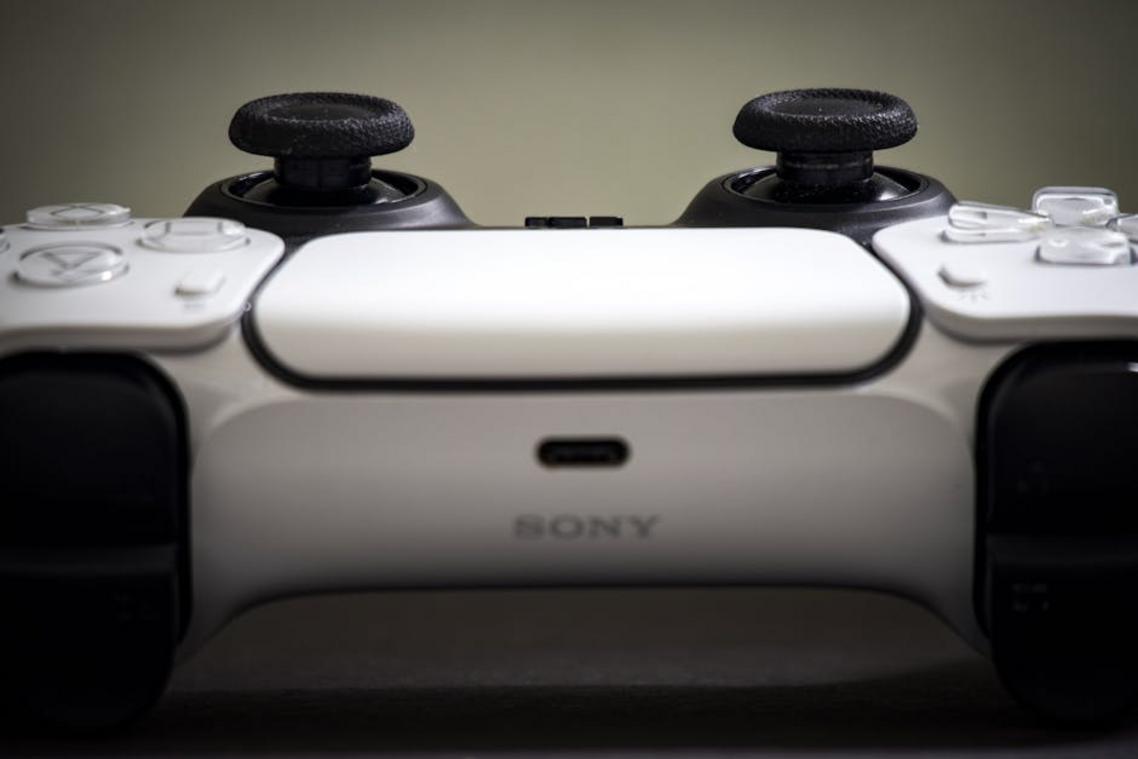
Modern controllers like the DualSense and Xbox Wireless Controller are engineering marvels—haptic feedback, adaptive triggers, ergonomic grips. But their core design assumes two hands, ten working fingers, and precise coordination. That’s not universal.
Standard layouts rely on:
- Dual analog sticks requiring simultaneous thumb control
- Shoulder buttons and triggers needing fine motor pressure control
- Face buttons positioned for quick, multi-finger reach
For players with limited mobility, muscle fatigue, limb differences, or reduced dexterity, this creates real barriers. A millisecond delay pulling a trigger or difficulty reaching the right bumper isn’t just inconvenient—it’s a competitive disadvantage (and in fast-paced shooters, that’s the difference between clutch and respawn).
Some argue controllers are already “ergonomic.” But ergonomics for the average user isn’t accessibility for all.
The answer lies in adaptive gaming controllers—modular systems designed for customization. Swappable inputs, programmable buttons, and alternative mounting options shift the philosophy from one-size-fits-all to player-first flexibility. That bridge turns exclusion into participation.
The Foundation: Exploring Official Adaptive Controller Kits
At the heart of Microsoft’s accessibility push sits the Xbox Adaptive Controller (XAC). Rather than functioning as a traditional gamepad, it acts as a central hub—a device designed to connect external inputs that match a player’s specific mobility needs. The XAC features 19 3.5mm ports along the back for individual button inputs (A, B, triggers, D-pad directions, and more), plus two USB ports for external joysticks. In simple terms, each port maps to a standard controller function, allowing users to plug in large push buttons, foot pedals, or sip-and-puff switches.
Some critics argue this setup looks intimidating (and yes, the back panel resembles a sound mixer). However, that complexity is precisely its strength. For example, pairing the XAC with the Logitech Adaptive Gaming Kit provides an array of programmable buttons and variable triggers right out of the box. Meanwhile, players with limited limb mobility often combine it with a Quadstick, a joystick controlled by mouth movements, enabling full in-game control.
PlayStation’s Answer: The Access Controller
Sony’s Access Controller takes a different, highly modular approach. Its circular design supports 360-degree orientation, meaning it can sit flat on a table or mount to a wheelchair tray. Swappable button and stick caps allow players to change shapes and textures for easier identification. Additionally, four 3.5mm expansion ports support external switches—bringing it firmly into the adaptive gaming controllers category.
Admittedly, some gamers question cross-platform flexibility. Yet both devices support PC compatibility, and robust software remapping makes customization seamless. As games evolve—especially alongside innovations like haptic feedback technology the future of realistic play—these controllers ensure more players stay in the action (which, frankly, is how it should be).
Beyond the big console brands, a thriving ecosystem of third-party and custom controller solutions is quietly redefining how we play.
Modular Controllers from companies like HORI and Evil Controllers let you swap thumbsticks, remap paddles, and even adjust trigger tension for specific genres. Think hair-trigger stops for shooters or elongated sticks for racing sims. Some models support one-handed layouts, which can be game-changing for players with limited mobility. If you’re serious about competitive play, start here before investing elsewhere.
Bespoke Builders take customization further. Organizations like Warfighter Engaged and AbleGamers design or modify controllers around an individual’s needs, not the average user. That might mean relocating buttons, enlarging inputs, or integrating adaptive gaming controllers into a unified setup. If standard gear feels like wearing someone else’s shoes, go custom.
3D Printing and DIY communities offer budget-friendly upgrades. Makers share printable grips, trigger extensions, and mounting brackets that transform stock controllers. Browse forums, test small mods, and iterate. Pro tip: prototype with inexpensive filament first. The right fit can elevate comfort, consistency, and confidence far beyond big-name defaults.
Remember that the best choice matches your playstyle, budget, and physical needs, not marketing hype or flashy esports endorsements. Choose wisely and experiment.
Hardware Is Only Half the Battle
You can buy the most advanced controller on the market, but without smart software, it’s like owning a sports car in first gear. Hardware vs. software isn’t a rivalry; it’s a partnership.
First, consider in-game accessibility menus vs. no built-in options. Modern titles with button remapping, co-pilot modes, and adjustable control schemes empower players to tailor experiences to their needs. In contrast, games without these features force workarounds (and frustration). Accessibility features—settings that remove barriers for players with different physical or cognitive needs—often determine whether someone can play at all. Think of The Last of Us Part II, praised for its robust options (Naughty Dog, 2020).
Next, system-level remapping vs. game-only tweaks. Tools like the Xbox Accessories App and Steam Input allow universal profiles saved across titles. That means consistency, especially for adaptive gaming controllers. Game-only settings reset every time; system profiles travel with you.
Finally, advanced tools vs. basic customization. Software like reWASD or JoyToKey enables macros, keyboard-to-controller mapping, and fine stick sensitivity tuning. Pro tip: create separate profiles for competitive and casual play to avoid costly mistakes mid-match.
In short, hardware gets attention, but software unlocks potential. Every serious player should care.
Build a Setup That Fits You
Finding the right gear can feel overwhelming—but the one-size-fits-all era of gaming is over. Research from the Entertainment Software Association shows that 46 million gamers in the U.S. live with a disability, driving innovation in accessibility (ESA, 2023). That demand has led to measurable results: Microsoft reports thousands of custom configurations created with its accessibility ecosystem.
With adaptive gaming controllers and modular software, you can tailor:
- Button layout and sensitivity
- Switch inputs and mounting options
- On-screen remapping profiles
Start by identifying your primary challenge, test ecosystems, and connect with accessibility communities for real-world guidance.
Level Up Your Gaming Edge Today
You came here to find smarter ways to elevate your gaming performance with the right gear, sharper strategies, and smarter gadget integration. Now you have a clearer roadmap to upgrade your setup, refine your skills, and stay competitive in an industry that never slows down.
The real challenge isn’t finding options — it’s choosing the right tools that actually improve reaction time, comfort, and consistency. From high-performance peripherals to adaptive gaming controllers, the right equipment removes limitations and lets your skill take center stage.
If you’re serious about gaining an edge, don’t stop here. Explore in-depth gear reviews, apply pro-level eSports strategies, and start optimizing your setup today. Thousands of competitive players trust our expert breakdowns to make informed decisions — and you can too.
Upgrade your gear. Sharpen your strategy. Take control of your game now.
 A key contributor to the foundation of Zard Gadgets, Ronaldo Floresierna played a vital role in shaping the platform's technical and strategic edge. His expertise in eSports dynamics and gadget-driven enhancements helped bridge the gap between high-level gear and practical player performance. By focusing on professional-grade tutorials and hardware reliability, Floresierna ensured the project became a trusted resource for gamers seeking to optimize their competitive mastery.