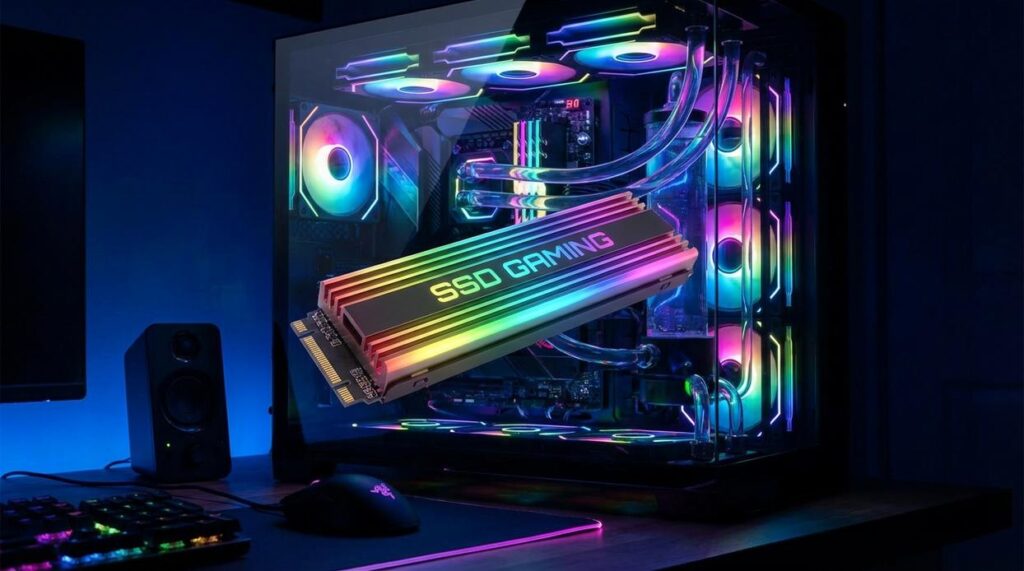
You’ve upgraded your GPU. You’ve overclocked your CPU. Yet somehow, you’re still staring at loading screens while everyone else is already in the match. The real culprit isn’t your processor—it’s your storage. Traditional hard drives simply can’t keep up with the massive data demands of modern games. That’s why making the switch to an ssd upgrade for gaming performance is the single most impactful improvement you can make. In this guide, we’ll break down how SSDs eliminate load-time bottlenecks, which specs actually matter, and how faster storage translates into smoother, more competitive gameplay overall.
The Technology Behind the Lag: Why Mechanical Drives Fail Gamers
How HDDs Work
An HDD (Hard Disk Drive) stores data on a spinning magnetic platter. A mechanical arm, called an actuator, must physically move to the spot where data lives. Imagine a record player trying to find five songs at once—it has to slide, stop, read, then slide again. That travel time is called latency (the delay before data begins transferring). When files sit far apart, the arm keeps zigzagging.
The Gaming Challenge
Games like Cyberpunk 2077 stream maps, 4K textures, and AI routines simultaneously. Those files are often fragmented, meaning pieces are scattered across the disk. The HDD becomes a traffic jam of moving parts. While competitors focus on storage size, they miss this physics problem: metal cannot move fast enough.
How SSDs Win
A Solid-State Drive uses flash memory—no spinning disks, no arms. Think of a grid of light switches you can flip instantly. Any data block is accessed electronically, delivering near-zero seek time. That’s why an ssd upgrade for gaming performance feels transformative (yes, even if your GPU stays the same).
Head-to-Head Numbers
- HDD: ~75–120 seconds load
- SATA SSD: ~30–40 seconds
- NVMe SSD: ~15–20 seconds
Speed wins.
Beyond the Load Screen: How SSDs Elevate Your In-Game Experience
Have you ever wondered why your open-world game stutters right as you sprint into a new city district? That jarring hitch is usually your storage drive scrambling to stream assets in real time. Traditional hard disk drives (HDDs) rely on spinning platters and mechanical arms, which makes random read speeds painfully slow. Solid-state drives (SSDs), by contrast, use flash memory with no moving parts, allowing data to be fetched almost instantly. The result? Smoother traversal across sprawling maps and fewer immersion-breaking freezes.
Have you noticed textures that look blurry at first, then suddenly snap into crisp detail as you step closer? That is texture pop-in, and it happens when high-resolution assets cannot load fast enough. An SSD feeds your GPU the data it needs without delay, keeping surfaces sharp and believable. Immersion thrives on consistency, and fast storage keeps the illusion intact.
But the benefits do not stop in the game world. Your operating system, Discord, recording software, and even that dozen browser tabs become dramatically more responsive. Click something, and it simply opens (no coffee break required). Ever tried alt-tabbing mid-match only to wait awkwardly? With an ssd upgrade for gaming performance, those delays shrink to near zero.
And what about competitive play? In fast-paced shooters, loading into a map first can mean claiming prime positioning before opponents spawn. Faster respawns keep you in the fight. Is that not a subtle but real edge? In competition, milliseconds matter more than most players realize. Every second truly counts here.
Choosing Your Weapon: Key Specs for a True Gaming SSD
NVMe vs. SATA: The Main Event
First, let’s define the battlefield. SATA SSDs use the older SATA interface originally designed for hard drives. They’re far faster than HDDs (no spinning disks, no mechanical delays), but they’re capped in speed. NVMe (Non-Volatile Memory Express) M.2 drives, on the other hand, plug directly into your motherboard’s PCIe slot, unlocking dramatically higher bandwidth.
For gaming, NVMe is the top choice. You’ll see snappier installs, faster patching, and smoother asset streaming in open-world titles. That said, some argue SATA is “good enough” because in many games the difference is only a few seconds. Fair point. However, as modern titles lean harder on fast storage (think Unreal Engine 5), NVMe offers more future-proofing.
Understanding Speed Ratings
Manufacturers love advertising sequential read/write speeds (how fast large files move in a straight line). But gamers should care more about random read/write speeds, measured in IOPS (Input/Output Operations Per Second). Random performance determines how quickly your drive grabs thousands of tiny game files during load screens.
In real-world terms: high sequential speeds look great on the box, but strong random reads reduce those “why is this still loading?” moments (we’ve all been there).
Capacity: How Much Is Enough?
Storage fills fast. A single AAA title can exceed 100GB.
- 500GB: OS + a few favorites (budget-friendly).
- 1TB: The sweet spot for most players.
- 2TB+: Ideal for massive libraries or content creators.
If you’re planning an ssd upgrade for gaming performance, 1TB NVMe is the safest bet.
The DRAM Cache Factor
DRAM cache is onboard memory that helps the SSD track data locations efficiently. Drives with DRAM maintain better sustained speeds and typically last longer. Some argue DRAM-less drives are fine for gaming—and they can be—but for a primary drive, DRAM is a smart investment.
Pro tip: Check your motherboard compatibility before buying.
For players exploring inclusive setups, see adaptive controllers and accessibility innovations in gaming.
Switching drives is like swapping a rusty bicycle chain for a carbon-fiber one—you use same bike, but everything moves faster. For M.2 NVMe, think of sliding a memory card into a camera: find the slot, insert, secure with one screw. For 2.5″ SATA, it’s like parking in a garage—mount it, connect power and data cables.
When it comes to data:
- Fresh install: a clean slate, like moving into new apartment.
- Cloning: packing boxes and recreating old setup instantly.
Game libraries? Steam and Epic let you relocate folders, no re-downloads. That’s real magic behind ssd upgrade for gaming performance.
Unleash Your PC’s True Potential
If your gaming rig feels slower than it should, the real bottleneck likely isn’t your GPU or CPU—it’s that outdated mechanical drive. Long boot times, endless loading screens, and in-game stutters all point to storage holding your system back.
The most cost-effective fix is simple: an ssd upgrade for gaming performance. Moving to a modern SSD—especially an NVMe drive—dramatically cuts load times, smooths out open-world streaming, and makes your entire PC feel faster and more responsive.
You came here to find out what’s limiting your performance—now you know. Don’t let slow storage waste your playtime. Check your motherboard for an M.2 slot today and invest in the upgrade that gets you back in the game faster.