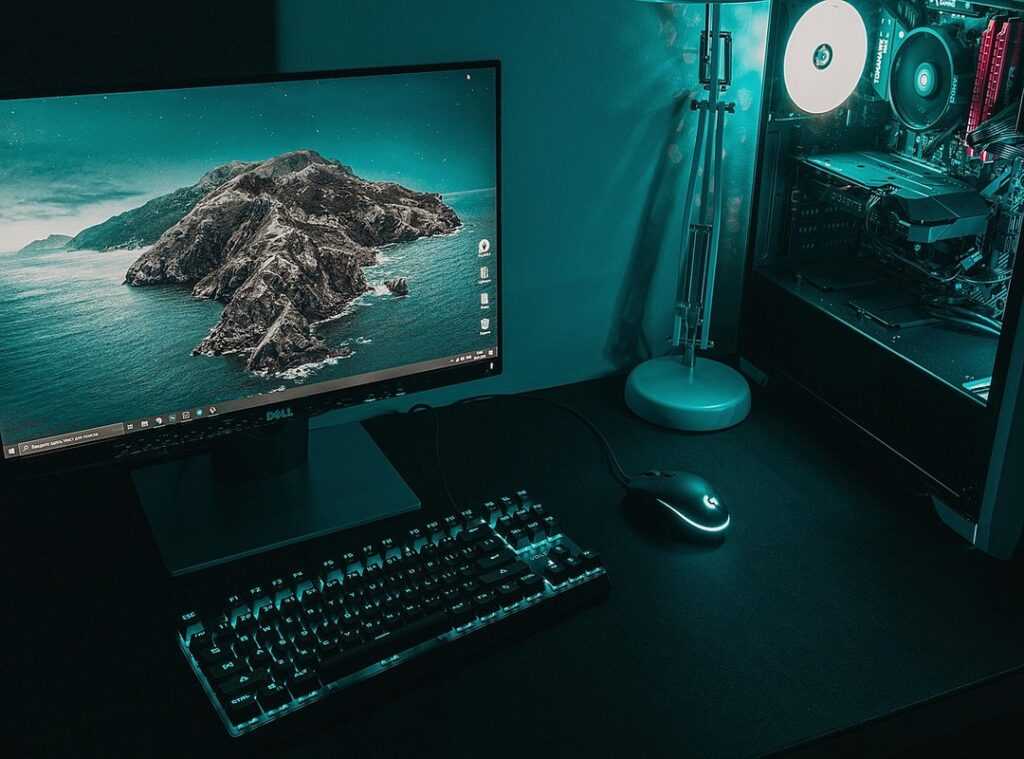
Ever been frustrated with your gaming desk setup? You’ve got the high-end components: a monster GPU, a blazing fast SSD, yet your desk is a nightmare. Cluttered cables, a chair that screams back pain, and a monitor at the wrong height.
It’s a mess, and it’s holding you back.
This article is your solution, cutting through the chaos with precision. We’ll transform your desk into a streamlined, ergonomic powerhouse. The kind esports pros swear by (and they should know).
This isn’t about looking pretty. It’s about an organized workspace that boosts your in-game performance. Reaction time, comfort, efficiency (they) all matter.
Trust our takeaways, drawn from top ergonomic experts. You’ll get a step-by-step system, from foundational setups to the final touches. Get ready to raise your gaming experience.
The Foundation: Ergonomics for Endurance and Precision
Ergonomics is not optional. Seriously, if your gaming desk setup is off, you might as well kiss your endurance and focus goodbye. Physical strain creeps in, and suddenly your marathon gaming sessions are cut short.
Ever wonder why your back hurts after just an hour? It’s your setup.
Let’s talk about the 90-90-90 rule. Sounds like a weird yoga pose, right? It’s simple: knees at a 90-degree angle, feet flat, hips also at 90, and elbows bent at 90 degrees.
This keeps everything aligned and comfortable, letting you focus on the game instead of your aching body.
The gaming chair? It’s not just a fancy seat. Adjustable lumbar support keeps your lower back in check, and the armrest height should support your arms without making you look like you’re shrugging all the time.
Seat depth matters too. You need space behind your knees. If you’re too far back, you’re not doing it right.
Now, about your desk. It’s more than just a surface to clutter with snacks. A deep desk is key to keep your monitor at the right distance and give your mouse room to roam.
Ever feel cramped and claustrophobic? Your desk’s depth might be the culprit.
Your chair and desk are the chassis of your setup. Nail this, and you’re halfway to gaming greatness. If you’re thinking about building a pro gamer pc important components, remember this: start with the basics.
Your body will thank you.
Display Dominance: Strategic Monitor Placement
Ever tried staring at a screen all day with your neck craned? It’s a nightmare. I say start simple.
Your monitor should be your visual centerpiece, right in front of you. That top bezel? Keep it at or just below eye level. (Trust me, your neck will thank you.) And don’t forget about distance (keep) it roughly an arm’s length away.
Now, what about those multi-monitor setups? Gamers, this one’s for you. A primary gaming monitor should be centered.
This straightforward setup prevents unnecessary strain. Feels like common sense, doesn’t it?
Add a secondary monitor to the side. Vertical placement can be a game changer for Discord or stream chats. And those ultrawide monitors?
They’re immersive, alright. But be sure you’re positioned to take in the entire field of view without shifting your head like a bobblehead. Balance is key.
Then there’s the eternal debate: monitor stands vs. monitor arms. Honestly, I’m all in for arms. Why?
They reclaim desk space. Plus, they offer perfect height/angle adjustment and easier cable management. If you’re looking to boost your gaming desk setup, arms are a no-brainer.
It’s all about making the most of your space and reducing clutter.
So why settle for an uncomfortable setup? Arrange your monitors strategically, give your neck a break, and dive into those immersive gaming sessions. Improve your setup.
You’ll love the difference.
The Control Zone: Game Changer
Ever heard of the “Control Zone”? It’s the battlefield where your keyboard and mouse reign supreme. This is the primary area for interaction, and trust me, it needs to be clear and optimized for speed.
You can’t afford clutter here. This isn’t just about aesthetics; it’s about precision.
Let’s talk keyboard placement. Why do gamers angle their keyboards? Simple.
It gives more mouse space and a natural wrist angle for the WASD hand. Imagine a pro gamer’s setup. The keyboard’s not straight.
It’s tilted. Try it. Your wrist will thank you.
Low DPI (dots per inch) settings are common in FPS games. They demand a huge mousepad or even a full desk mat. It’s all about freedom of movement without constraints.
Mouse placement is equally key. Ever played a first-person shooter and found yourself lifting the mouse to make a full 180-degree turn? That’s a sign you need a larger space.
Wrist rests? They’re misunderstood. You rest between actions, not during gameplay.
Gaming requires micro-adjustments. A wrist rest can hinder that.
Oh, and if you’re diving into lighting setups, you’ve got to check out Lighting Solutions Pro Gaming Environment. The right lighting can transform your gaming desk setup into something out of a sci-fi dream. Who doesn’t want that?
In gaming, every small change impacts your performance. Improve your Control Zone and watch your game raise.
Sound Stage: Immersive Audio Setup
When setting up a gaming desk, don’t forget the sound. It’s often neglected, but key for immersion. Let’s talk speakers first.
The equilateral triangle principle is key here. Your speakers and your head should form a triangle with equal sides. This ensures accurate stereo sound.
It’s like having front-row seats at a concert, but in your game.
For headset users, keep things tidy with a stand or hook. This saves space and protects your gear. You don’t want your headset tangled in cables or knocked off the desk.
It’s a simple fix that makes a huge difference.
Microphone placement is another beast. If you use a standalone mic, get a boom arm. Trust me, it positions your mic perfectly, keeping it clear of your keyboard and screen.
This minimizes keyboard clack and background noise. Your teammates (or audience) will thank you for the clarity.
Lastly, think about where you place your DAC/Amp. Keep it within arm’s reach for quick volume adjustments. But don’t let it interfere with your mouse movements.
You don’t want to sabotage your game with poor placement.
In a proper gaming desk setup, sound isn’t just heard; it’s felt.
The Final Touch: Mastering Cable Management and Ambiance
Let me tell you, nothing screams “I know what I’m doing” like a sleek gaming desk setup with flawless cable management. It’s the bridge from chaos to cool. Imagine mounting a power strip under the desk.
Your wires vanish. With a cable raceway, the main bundle hides away like magic. And those reusable velcro ties?
Game-changing. They gather stray cables from peripherals, making everything tidy.
Why bother? Well, good cable management stops snagging and keeps your space easy to clean. Plus, it’s one less distraction when you’re deep in a game.
And let’s talk lighting. Forget flashy RGB. Try bias lighting like an LED strip behind your monitor.
It reduces eye strain in dark rooms without glare. You see what I mean? It’s about setting the right mood.
Level Up Your Game Setup Now
You’ve found your blueprint. No more guessing. A chaotic gaming desk setup drags down your skills.
This method wipes out physical friction, letting your gear and talent shine.
Ready for action? Don’t overhaul everything at once. Start tonight.
Adjust your chair and monitor. Trust me, this small step is the gateway to a greater gaming experience. Need proof?
We’re the top-rated resource for gamers. Get started. Make that first move.
Own your space. Raise your game.
 Tameka Beltranice was instrumental in building the Zard Gadgets ecosystem, bringing a sharp focus to community-driven content and gaming trends. Her work in developing comprehensive gear reviews and eSports strategy guides helped establish the brand as an authoritative voice in the industry. Through her dedication to detail and passion for digital innovation, Beltranice helped turn the project into a premier destination for players at every skill level.